Sales reports
Daily, weekly, and monthly sales with payment breakdowns.


Grow With Data
Sales, expenses, orders, and team performance in real time — for one store or every branch together.
Daily, weekly, and monthly sales with payment breakdowns.
Record expenses and see your real profit, not just revenue.
See volumes by service, branch, and status to plan staffing and capacity.
Outstanding balances and payment history for every customer.
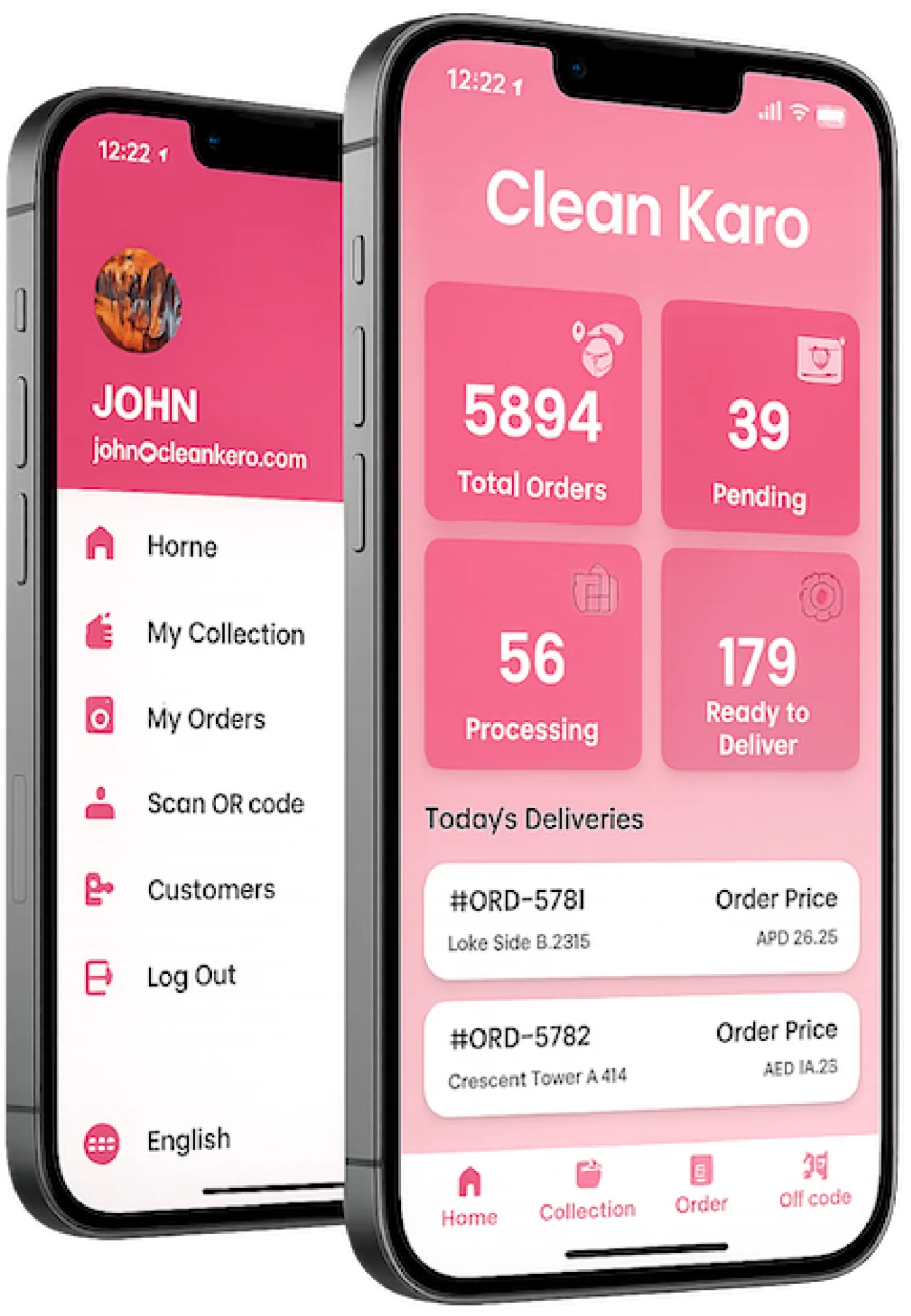
John's dashboard. 5,894 total orders, 39 pending, 56 processing, and 179 ready to deliver. Today's Deliveries lists #ORD-5781 at Lake Side and #ORD-5782 at Crescent Tower, each with its price.
Today at Al Wasl, in the same shape as those tiles: 48 bills and AED 2,140 collected.
The same week split by branch, including the all-branches total your owner view opens on.
The dashboard shows total orders, what's in progress, what's out for delivery, and what's been delivered — updated in real time as your team works.
The same kind of screen is how Al Wasl, Marina, and JLT roll up. This week that is 186 orders and AED 18,420 collected, with expenses of AED 2,640 already beside the sales.
Sales and expenses sit next to each other, branch by branch.
Sales and expenses sit side by side, so you can see what each branch actually earns. Spot your best services, slowest days, and outstanding payments without building a spreadsheet.
Today at Al Wasl, in the same shape as those tiles: 48 bills and AED 2,140 collected.
Every bill, payment, and expense is recorded as you work.
Reports update in real time — no manual data entry.
Filter by date, branch, or service to find what you need.
Daily, weekly, and monthly sales with payment breakdowns.
Record expenses and see your real profit, not just revenue.
See volumes by service, branch, and status to plan staffing and capacity.
Outstanding balances and payment history for every customer.
Track orders handled and deliveries completed by each staff member and driver.
Compare branches side by side or drill into one location.
No. Reports are built automatically from the orders, payments, and expenses your team already records.
Yes. Owners can check the dashboard and reports from web or mobile.
Yes. View all branches together or filter to a single location.
Yes. Record expenses in CleanKaro and they appear alongside your sales.
Understand sales, orders, and performance. Book a demo and we will walk through it on your laundry.